TikTok Tools for Creators and Marketers
The TikTok tools online and in the app that cover research, editing, scheduling and analytics, with what each one costs.
Published September 30, 2026 · Updated September 30, 2026 · 11 min read
There are hundreds of TikTok tools, and most accounts use four or five. The rest duplicate each other, or solve a problem you will not have until you manage ten brands. This guide sorts the useful ones by the job they do: finding ideas, editing and captioning, scheduling posts, and reading the numbers afterwards. For the same steps across TikTok, Reels and Shorts, see our guide to content creator tools for short-form video.
We opened each tool's own site on September 30, 2026 for the prices and plans below. Where a tool is free, we say what the free plan actually includes, because "free" often means a trial.
Start With a Video That Already Worked
Paste a TikTok link and see its hook, structure and call to action in one breakdown.
TikTok Tools at a Glance
| Tool | Best for | Key feature | Price (checked Sep 30, 2026) |
|---|---|---|---|
| ViralDrop | researching competitors' viral videos | hook-and-structure breakdown, breakout emails | plans from $9/mo; free welcome credits |
| TikTok Creative Center | seeing top ads and rising hashtags | official performance data | free |
| TikTok Creator Search Insights | finding topics people search for | content gap filter | free, in the app |
| CapCut | editing on phone, desktop or web | auto captions and templates | free to start |
| Submagic | captioned short-form clips | AI captions and hook titles | from $19/mo |
| TikTok Studio | managing and analysing your own account | analytics, auto caption, scheduled posts | free for Business and Creator accounts |
| Buffer | scheduling across several platforms | per-channel pricing | free for 3 channels; paid from $5/mo per channel, billed yearly |
| Metricool | analytics and competitor benchmarks | competitor profiles, planner | free for 1 brand; paid from $20/mo, billed yearly |
How We Chose
We started from what a small team actually does in a week on TikTok: find what to post, make it, publish it, and check what worked. For each job we picked the tools that are widely used, have a clear free option or a plan a single creator can afford, and state their prices publicly.
Three rules shaped the list:
- Official sources only. Features and prices come from each tool's own pages, opened on the day this was written. Nothing is taken from review sites or search snippets.
- TikTok first where it is enough. TikTok's own tools are free and use data nobody else has. A paid tool earns its place only if it does something they do not.
- No invented numbers. We do not publish ratings, user counts or accuracy claims, because we have no way to check them.
We left out tools that only resell another tool's data, browser extensions that need broad access to your account, and anything whose pricing is available only after a sales call.
ViralDrop is our product, and it is listed first in the research section. Its card states only what it does, so you can judge whether it belongs in your stack.
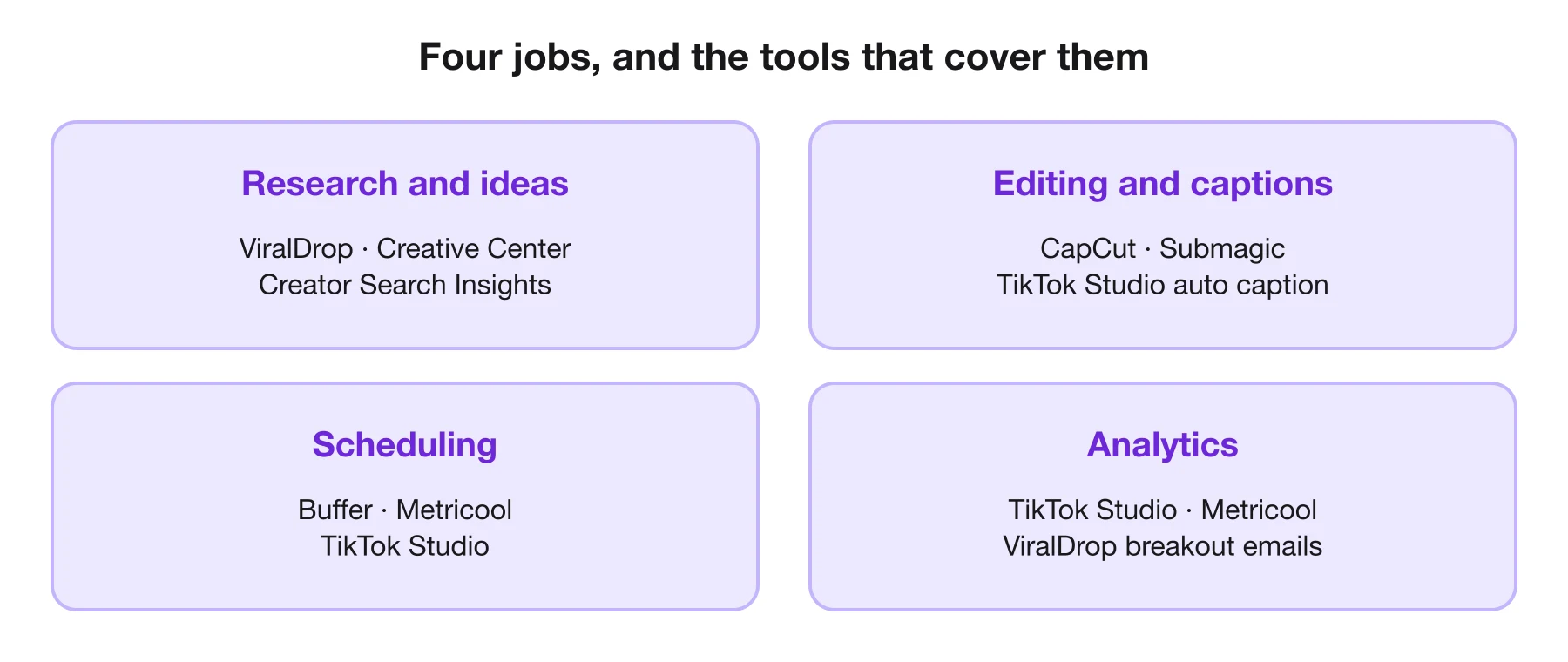
Tools for Research and Ideas
Research is the step most creators skip, and the one that decides whether the rest of the work pays off. These tools show what already works before you spend an afternoon filming.
ViralDrop
Best for: understanding why a competitor's TikTok went viral, and hearing about the next one early.
Paste a TikTok, Reel or Short and the analysis breaks it down: key frames, text on screen, the full transcript, and the hook, body and call to action with a note on why each works. A rewrite turns that structure into a script for your own product and audience. Competitor tracking watches the accounts you add, checks new posts twice a day against each account's own normal for videos of the same length, and emails you when one takes off. Trends Research looks across TikTok, Reels and Shorts for what is trending in a niche, and a TikTok video downloader saves the original MP4 from a public link.
- Pros: starts from real viral videos; analysis, rewrite, TikTok transcripts and tracking share one balance; tracking is included in every plan and spends no credits.
- Cons: no editor or scheduler; it works on public videos only.
- Price: an analysis is 5 credits and a rewrite 5; plans from $9 a month for 100 credits; new accounts get free welcome credits.
TikTok Creative Center
Best for: studying how the best-performing ads open, and which hashtags are rising.
TikTok's Top Ads dashboard shows high-performing auction ads by region, objective and period, each with likes, a CTR band and a budget level. The trends section ranks hashtags by posts and views. It is made for advertisers, but the openings of paid ads are a free lesson in hooks.
- Pros: official TikTok data; free.
- Cons: ads and hashtags only, and only ads their advertisers authorised; most rows need a login.
- Price: free.
TikTok Creator Search Insights
Best for: picking topics people are already searching for.
Type "Creator Search Insights" into TikTok's search bar to open it. It lists topics searched often, sorted by category or by the kind of content you post, with a filter for content gaps: topics people search for that few videos cover. TikTok says it is available in select regions.
- Pros: demand data straight from TikTok search; free.
- Cons: topics, not scripts; regional.
- Price: free.
Get an Email When a Competitor Takes Off
Add the TikTok accounts you watch; tracking spends no credits.
Tools for Editing and Captions
Most TikToks are edited on a phone, and most viewers see captions before they hear a word. These two tools cover both jobs.
CapCut
Best for: everyday editing on phone, desktop or in the browser.
CapCut comes as a mobile app, a desktop editor and an online editor. Its site lists auto captions, caption templates, text to speech, background removal and a large template library, and says you can try it online for free with no credit card.
- Pros: free to start; available everywhere you edit; built with short-form formats in mind.
- Cons: some AI features sit in paid tiers; the number of features can slow a beginner down.
- Price: free to start online.
Submagic
Best for: adding styled captions to talking-head clips quickly.
Submagic is an AI editor for short videos, built around animated captions. Its plans include AI hook titles, removal of bad takes and silences, B-roll and publishing to social accounts.
- Pros: captions and cleanup in one pass; clear per-video limits.
- Cons: limits on video length per plan; a subscription for what a free editor partly does.
- Price: Starter $19 a month (15 videos, up to 2 minutes each), Pro $39, Business $69, billed monthly.
Tools for Scheduling and Analytics
Publishing on a schedule and reading what happened are the two jobs where TikTok's own app is usually enough for one account, and where paid tools start to pay off for several.
TikTok Studio
Best for: managing your own account's posts, comments and analytics.
TikTok Studio replaced Creator tools in the app and the Creator Center web app. TikTok describes it as a place to upload, edit, post and manage published and scheduled posts, with reports on content performance, audience behaviour and monetisation. It is at tiktok.com/tiktokstudio on a desktop browser.
- Pros: official analytics; free; auto caption and autocut built in.
- Cons: one account at a time; available to creators aged 18 and over.
- Price: free.
Buffer
Best for: scheduling TikTok alongside other platforms without paying for channels you do not use.
Buffer's free plan connects up to three channels, with ten scheduled posts per channel at a time. Paid plans remove that limit and add advanced analytics, a hashtag manager and first-comment scheduling; Team adds unlimited team members and approval workflows.
- Pros: a real free plan; you pay per channel, so costs follow your client list.
- Cons: for some platforms Buffer sends a reminder to finish the post in the app rather than publishing directly.
- Price: free; Essentials $5 and Team $10 per channel per month, billed yearly.
Metricool
Best for: tracking your numbers and a few competitors in one dashboard.
On Metricool's free tier you get one brand, 20 scheduled posts a month, 30 days of analytics and five competitors to compare against. Paid plans add more brands, unlimited publishing, analytics with unlimited history and up to 100 competitors.
- Pros: free plan with competitor benchmarks; reports in PDF and PowerPoint on paid plans.
- Cons: the free plan's 30-day history is short for spotting trends.
- Price: free; Starter from $20 a month and Advanced from $53 a month, billed yearly.
Which TikTok Tools You Need at Each Stage
The right stack depends less on the tools than on how many accounts you run and who else touches them.
A solo creator, one account. TikTok Studio for analytics, CapCut for editing, and Creator Search Insights for topics cover almost everything. Add a research tool once you notice you are guessing what to post, or when a competitor keeps getting views you do not understand. At this stage, a paid scheduler rarely earns its price: posting from the app is quick, and TikTok Studio already manages scheduled posts.
A small business posting on two or three platforms. The same video usually goes to TikTok, Instagram Reels and YouTube Shorts, so a scheduler starts to save real time. Buffer's free plan fits three channels exactly. Captions matter more here, because a product video has to make sense to someone watching without sound, so a caption tool or CapCut's auto captions become part of every edit.
An agency or a team. Now the problems are approvals, client reports and knowing what every competitor in a client's niche is doing. Schedulers with team plans, such as Buffer Team, add approval workflows; Metricool's paid plans add more brands and exportable reports. Research scales differently: tracking twenty or fifty competitor accounts by hand is not realistic, which is where automatic breakout alerts help.
Whatever the stage, add one tool at a time, and only when you can name the problem it solves. A stack that nobody opens is more expensive than no stack at all.
A Weekly Routine With These Tools
Tools help most when they sit inside a routine. A simple week for one account:
- Monday: research. Check which competitor videos broke out last week, and read the breakdown of the one that surprised you most. Note its hook type and structure.
- Tuesday: plan. Pick three ideas from Creator Search Insights or from that breakdown, and write a hook for each.
- Wednesday and Thursday: film and edit. Record all three, edit in CapCut, add captions.
- Friday: schedule. Queue the week's posts in TikTok Studio or your scheduler.
- Sunday: measure. Look at watch time and shares in TikTok Studio. Keep the hook type that held viewers best for next week.
This takes a few hours a week and turns a pile of tools into a feedback loop: research tells you what to try, analytics tell you whether it worked.
What to Check Before You Pay for a TikTok Tool
A free trial makes every tool look good for a week. Five questions tell you whether it will still be worth paying for in month three.
- Does it connect officially, or ask for your password? Official connections and public links are safe. A tool that wants your TikTok login puts your account at risk.
- What happens when you cancel? Some tools lock you out, others have a free plan to fall back to. Buffer and Metricool both have one, and ViralDrop keeps tracking up to 10 accounts on its free tier after a subscription ends.
- Is the price per user, per channel or per brand? Buffer charges per channel, Metricool per group of brands, Submagic per member. The cheapest plan today can be the most expensive once your team or client list grows.
- Are the limits ones you will hit? Look at posts per month, videos per month and video length, not only the headline price. A two-minute limit on a caption tool rules out most tutorials.
- Does it do something TikTok's own tools do not? If the answer is only "a nicer dashboard", keep using TikTok Studio.
Write down the one problem the tool should solve before you start the trial, and check honestly at the end of the trial whether it did.
Free TikTok Tools
You can run a TikTok account well without paying for anything. A free stack looks like this:
| Job | Free tool | What the free version includes |
|---|---|---|
| ideas | Creator Search Insights | searched topics and content gaps, in the app |
| hooks | Creative Center Top Ads | top ads by region and objective |
| editing | CapCut | the editor online, on desktop and on mobile |
| captions | TikTok Studio auto caption | captions inside TikTok's own tools |
| scheduling | Buffer Free | three channels, ten scheduled posts per channel |
| analytics | TikTok Studio or Metricool Free | your own analytics; Metricool adds five competitors |
| viral breakdowns | ViralDrop welcome credits | enough free credits to try an analysis |
The limits show up when you post for more than one brand, or when you want to know why a competitor's video beat yours rather than just that it did. That is the moment to pay for the one tool that fixes the gap, not for a suite.
Be careful with any free tool that asks for your TikTok password. None of the tools on this page do: TikTok's own tools run inside your account, and the others work from public links or from connections you approve.
FAQ
What are TikTok tools?
TikTok tools are apps and websites that help you plan, make, publish or measure TikTok videos. Some are built into TikTok, such as TikTok Studio, and others are separate, such as editors, schedulers and research tools.
What are some free tools for TikTok?
TikTok Studio, Creator Search Insights and the Creative Center are free and official. CapCut is free to start, Buffer and Metricool have free plans, and ViralDrop gives new accounts free credits to try an analysis.
Is 3 TikToks a day too much?
Not if each one is worth watching. TikTok's help pages say its feeds rank each video by how likely a viewer is to be interested in it, so what counts is the quality of each post, not how many you publish.
What is the best tool to analyze a TikTok video?
For your own videos, TikTok Studio shows how each post performed. To understand why someone else's video went viral, a breakdown tool such as ViralDrop shows its hook, structure and call to action.
Sources
- TikTok Creative Center: Top Ads — checked September 30, 2026
- TikTok Newsroom: Creator Search Insights — checked September 30, 2026
- TikTok Newsroom: TikTok Studio — checked September 30, 2026
- CapCut — checked September 30, 2026
- Submagic pricing — checked September 30, 2026
- Buffer pricing — checked September 30, 2026
- Metricool pricing — checked September 30, 2026
- TikTok Help Center: how TikTok recommends content — checked September 30, 2026
- ViralDrop pricing — checked September 30, 2026
Keep reading
- How to Go Viral on TikTok How to go viral on TikTok in 2026: what TikTok says it rewards, why followers matter less than you think, and how to study the videos that worked.
- How the TikTok Algorithm Works in 2026 The TikTok algorithm ranks eligible videos by what you watch, share and skip. What TikTok says counts, what changed in 2026, and how to reset your feed.
- TikTok Hooks: 50 Opening Lines and Why They Work TikTok hooks for 2026: 50 opening lines sorted by the seven hook types, why each type holds viewers, and how to test a hook before you build a video on it.